- Mouse
- Keyboard
- Kid friendly
- HTML5
About Cocoon Crossing
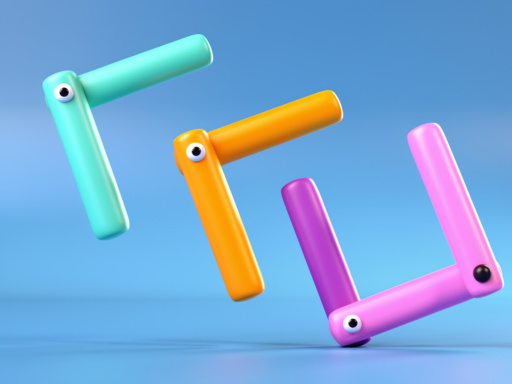
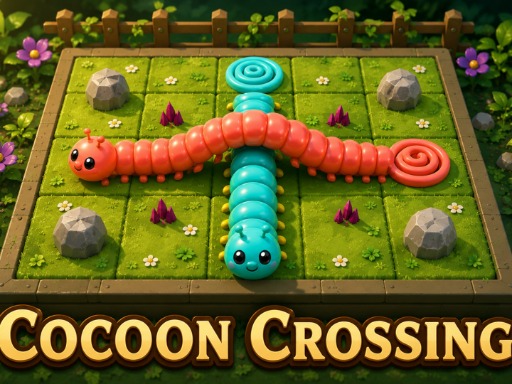
Cocoon Crossing 3D is a relaxing 3D routing puzzle. Drag the head or tail of each caterpillar and it crawls, tile by tile, toward the cocoon of its own color — reach it and it turns into a butterfly. Worms can't cross on the same level, but at a crossing they can climb over a bridge or slip under a tunnel. Solve each board within the move budget, chase the par star, and untangle your way through dozens of handcrafted levels.
How to play
Drag the head or tail of a caterpillar to make it crawl one tile at a time toward its matching cocoon. Two worms can't overlap on the same level — at a crossing tile, send one over a bridge and the other under a tunnel. Get every worm home (they turn into butterflies) to win. Finish within the move budget; match par for a star. Use Undo to take back a move, or Hint when you're stuck.
Game details
- Category
- Puzzle
- Controls
- Mouse, Keyboard
- Screen
- Landscape, made for 1280×720
- Built with
- HTML5
- Tags
- Provider
- GameDistribution
Questions
Is Cocoon Crossing free to play?
Yes. Cocoon Crossing is free to play here and runs in your browser, so there is nothing to download or install.
How do you play Cocoon Crossing?
Drag the head or tail of a caterpillar to make it crawl one tile at a time toward its matching cocoon. Two worms can't overlap on the same level — at a crossing tile, send one over a bridge and the other under a tunnel. Get every worm home (they turn into butterflies) to win. Finish within the move budget; match par for a star. Use Undo to take back a move, or Hint when you're stuck.
Can I play Cocoon Crossing on a phone or tablet?
The instructions only mention mouse and keyboard controls, so it plays best on a computer.
What kind of game is Cocoon Crossing?
It is a puzzle game tagged logic, worm, 3d. If you like it, try the other puzzle games on this site.